Main features
- AI-powered video editing: AI will help you automate repetitive and tedious tasks, saving you time and effort. In addition, it can perform automatic quality adjustments, improve video stability and apply special effects precisely and effectively.
- Voice recognition capabilities: You can control the editing of your videos using voice commands. Voice recognition technology will allow you to perform actions such as trimming clips, adding effects, changing background music and much more, simply by speaking, thus making video editing more accessible and practical, since you will be able to make quick and precise changes without having to click buttons.
- Quick content creation: You will create high-quality videos in record time. AI will speed up the editing process by automating tasks such as organizing clips, selecting best moments, and optimizing video length. You'll also be able to take advantage of artificial intelligence to automatically generate smooth transitions between scenes, apply stunning visual effects, and perfectly sync music and video beats.
- User-friendly platform: You will integrate into the video editing platform easily, regardless of whether you are a beginner or an expert. The intuitive interface will guide you through the editing steps, offering you clear and understandable options at every stage of the process. You will have tutorials and support tools that will allow you to learn and improve your editing skills as you progress.
Significant advantages
- Significant time savings: Thanks to its automated technology, it is possible to save considerable time by performing tedious tasks automatically, such as trimming silences and generating subtitles and translations automatically.
- Creating impressive videos: With the background music feature, you can choose the right music for your video, adding an emotional and captivating element. Facial recognition allows you to highlight and focus on people's faces in your videos, helping to capture the viewer's attention. Its automatic reformulator allows you to quickly adapt the format of your videos, converting them into short clips that are ideal for sharing on social networks and digital platforms.
- Professional quality without editing skills: Even if you are a beginner and have no editing experience, you can create professional quality videos. The intuitive, easy-to-use interface guides you through the editing process step by step, allowing you to make adjustments, add effects, and perform enhancements without hassle.
- Quick transformation of long videos: It is capable of quickly transforming long videos into short ones. This is especially useful if you have extensive recordings and want to extract highlights or generate a concise summary. With just a few clicks, you can trim and edit your videos to get a more compact and effective version. It allows you to optimize your videos for different platforms and audiences, adapting them to shorter and more attractive formats.
How is it used?
- Registration and access to the platform:Register on Wisecut and access the platform with your login credentials. If you don't have an account yet, you can easily open one by providing the required information.
- Add your video:Once you have accessed the platform, enter the video you want to edit. You can upload the video from your device or use an external link if the video is already hosted online.
- Make automatic adjustments:The platform uses AI to make automatic adjustments to your video. It includes trimming silences, generating subtitles and automatic translations, as well as balancing audio using AI audio attenuation. Review automatic settings and make any necessary changes
- Customize your video:Once automatic adjustments have been applied, you can further customize your video. With the tools and options available to add background music, you can adjust the tone of your video, as well as highlight facial features with facial recognition to adapt the video format to different platforms.
- Edit with the storyboard editor:Offers an intuitive storyboard editor that allows you to make additional edits to your video. You can trim specific segments, add visual effects, adjust scene lengths, and much more. Just drag and drop the clips and organize them according to your preference.
- Export and share your video:Once you've finished editing your video, it's time to export it. You will be able to select the resolution and output format that best suits your needs. After exporting, you can download the video and share it on the platforms of your choice, such as social networks, websites or emails.
Conclusion
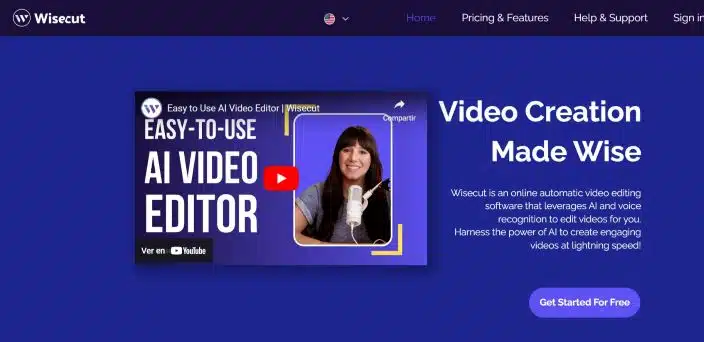
wisecut is an online video editing platform powered by AI and voice recognition.
It allows users to create impactful and engaging videos quickly and easily.
With automatic features, an intuitive interface, and customization tools, Wisecut simplifies and streamlines the video editing process for users of all skill levels.
Content of the article
Last update: June 2026
Wisecut Reviews and Opinions
There are no reviews yet. Be the first to write one.
Artificial Intelligence Tools
Alternatives to wisecut
In today's competitive digital world, creating professional videos no longer requires expensive equipment or advanced technical knowledge.
CapCut transforms video editing with artificial intelligence that automates complex tasks. It converts text into full-length videos, g...
Filmora transforms video editing with artificial intelligence that works for you. It automatically analyzes your content, generates subtitles, and...
- Freemium
WUI.AI transforms your long videos into short, viral clips for social media using artificial intelligence. It detects the most interesting moments...
FlexClip makes video creation easy and professional. With AI, 6000+ templates, and millions of videos, it's easy to create videos with ease.
- Freemium
GStory revolutionizes multimedia editing with AI. Change video backgrounds, generate stunning images, and edit photos easily. Ideal for...
Deepshot is innovative software that puts the power of artificial intelligence in your hands to take new shots and generate dialogue...
Transform the way you create and share videos with Vidnoz AI Video Translator. This AI tool allows you to translate and personalize...
Cutout Pro is a visual design platform powered by artificial intelligence that gives you various tools to edit f...
Deepswap is an online app that uses artificial intelligence to swap faces in videos, photos, and GIFs. With more than 150 million...
- Free Trial
Vidnoz revolutionizes online video creation with innovation and smart technology. Vidnoz AI addresses various creation needs...
Introducing ChapterMe, an AI tool designed to help content creators like you automatically create chapters with...