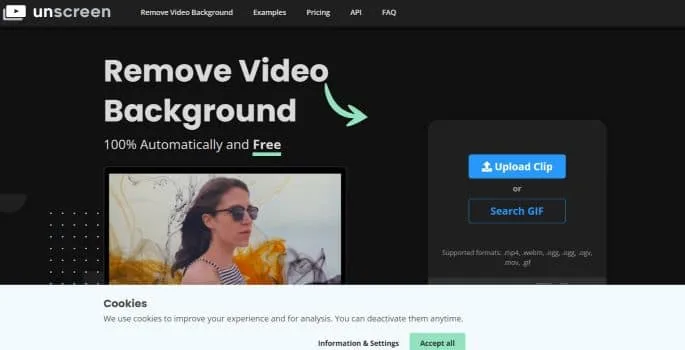
Goodbye Greenscreens
Before the existence of unscreen, removing the background from a video used to require complex and tedious techniques such as using green backgrounds and chroma key techniques.
However, Unscreen has revolutionized this process, allowing you to record your footage anywhere and then simply remove the background easily.
100% automation, without a single click
The most notable feature of Unscreen is its automation capabilities.
You do not need select pixels, choose colors, create masks or trace paths. Unscreen analyzes your video completely automatically and generates a high-quality result without the need for any manual steps.
It is simple and effective.
Impressive precision
Unscreen's accuracy is amazing. You can rely on it to remove the background from your video with great precision, saving you time and effort in post-production.
Unscreen offers a additional tool call "Unscreen Pro Plugin" that integrates with Adobe Premiere Pro and After Effects.
With this plugin, you can process your video with Unscreen Pro and then easily import it into your video editing software.
This makes it even easier to remove unwanted backgrounds from your videos.
Main features and benefits
- Automatic funds removal: Uses artificial intelligence technology to automatically remove the background from your videos and GIFs. You don't need to do manual editing or use complicated chroma key techniques. The process is quick and simple.
- Wide format compatibility: It supports a variety of video formats, such as .mp4, .webm, .ogg, .ogv, .mov and .gif. You can upload your clips in any format you want and get high-quality results.
- Integration with editing software: Offers a Pro Plugin for Adobe Premiere Pro and After Effects. It allows you to directly upload a zip file to your preferred video editing software, making it easy to integrate backgroundless videos into your projects.
- Precise and professional results: Eliminates the need for tedious manual masking, color selection, or plotting moves.
- Advantages of Unscreen Pro: If you choose Unscreen Pro, you will enjoy additional features. They include Full HD resolution for crystal-clear video quality, no watermarks, the ability to work with full-length clips, downloading video files, and audio support.
Various use cases
- Creation of promotional videos: By removing the background from your promotional videos and GIFs you will be able to highlight your product or service by removing any distractions from the background, which will put the focus on what really matters.
- Production of content for social networks: You will create visually engaging and professional content to share on social media platforms such as Instagram, TikTok, YouTube and Facebook. Produce impactful videos that capture your audience's attention and generate greater engagement.
- Presentation video editing: If you are preparing a presentation or informative video, the tool will allow you to remove the background and highlight your main message. You can add images or text on the now clean background and achieve a visually pleasing and coherent presentation.
- Integration of videos in editing projects: If you are a video editor, you can combine them with additional images or recordings to produce more interesting and creative visual compositions.
How is it used?
- Access the website from Unscreen in your browser: www.unscreen.com.
- On the main page, you'll see an option to upload a video or search for a GIF. Click the corresponding button depending on what you want to edit.
- If you want to upload a video, select the file from your device by clicking the “Upload” button or by dragging and dropping it into the browser window.
- Once the video has loaded, it will automatically start processing it and remove the background. You can see the progress on the screen.
- Once the process has been completed, you will be able to see the result in real time. You will need to play the video and make sure the background has been removed correctly.
- If you are satisfied with the result, you will be able to download the backgroundless video by clicking the download button or the link provided.
- Remember which also offers a Pro subscription option with additional features. If you want to access these advanced features, you can explore the Pro option on the website.
Price plan
Includes 3 minutes of background removal per month.
Cost per minute: €3.00.
Includes 15 minutes of background removal per month.
Cost per minute: €2.60.
- Creator: €89.00 per month
Includes 45 minutes of background removal per month.
Cost per minute: €1.98.
Includes 2 hours of background removal per month.
Cost per minute: €1.57.
- Studio: €389.00 per month
Includes 5 hours and 30 minutes of background removal per month.
Cost per minute: €1.18.
Includes 45 minutes of background removal per month (customizable).
These plans offer different amounts of video background removal minutes per month, and the cost per minute varies depending on which plan you choose.
All plans include Full HD resolution, no watermarks, API and plugin access, video file download, and audio support.
- Additionally, Unscreen offers the option "Pay-as-you-go" for €4.99 per minute, meaning you can purchase each video background removal individually with no monthly commitments. You can also calculate the exact cost when uploading your video.
Unscreen has a policy of 14 days money back guarantee and is flexible, allowing you to change or cancel your subscription at any time.
They bill per second, so you can upload as many videos as you want within your monthly video time budget.
Prices may be subject to change and it is recommended VISIT THE OFFICIAL WEBSITE for more up-to-date information.
Conclusion
unscreen is a powerful tool that simplifies the process of removing backgrounds in videos and GIFs.
It offers precise and professional results, is compatible with various formats and integrates with editing software.
With Unscreen Pro, you'll get additional benefits to take your audiovisual projects to the next level.